Ribbons vs Raindrop.io
Two ways to keep useful things close. Here's how they compare.
Ribbons is a good fit for finding text in screenshots and scanned documents, and reusing saved content on Apple devices. Raindrop.io is a good fit for web research across platforms, with an ongoing free plan and paid web archiving. Both support PDFs, tags and shared collections.
At a glance (copy section link)
What each app offers, including which features require payment.
| Ribbons | Raindrop.io |
|---|---|
| Images and scanned PDFsSearch recognised words in screenshots, photos and scanned PDF pages. | Images and scanned PDFsIts help docs exclude text recognition in images and scanned documents.[1][2] |
| Searching saved contentSearch notes and PDFs, see matching excerpts, and open the matching image region or PDF page. | Searching saved contentPro searches saved webpages, text-based PDFs and YouTube transcripts.[1] |
| Organising an itemKeep one item in several personal Drawers without duplicating it. | Organising an itemKeep each bookmark in one collection; use tags across collections.[3] |
| Sharing with othersInvite people to Shared Drawers with view or edit permissions. | Sharing with othersInvite people to shared collections with edit or read-only access, including on Free.[4] |
| DevicesNative iPhone, iPad and Mac apps, with iCloud sync. | DevicesWeb, Windows, Android, Mac, iPhone and iPad, plus browser extensions.[5] |
| Free and paid accessSeven days of full access. Pro is then needed for new items; existing content stays usable. | Free and paid accessAn ongoing Free plan. Full-text search and web archiving require Pro.[7] |
Searching the things you've saved (copy section link)
Both apps can search inside saved content. Raindrop Pro includes full-text search across saved webpages, text-based PDFs and YouTube transcripts. Searching inside a PDF is something the two apps share.[1][2]
In Ribbons, Deep Recall searches your notes, images and PDFs together. It recognises visible words in screenshots, photos and scanned PDF pages, as well as reading text already embedded in a PDF. You can look for a hotel name on a booking screenshot or a phrase from a letter without remembering the filename.
This is a distinction between the two search systems, rather than just their plans. Raindrop.io's current search guide says words inside images are not searchable, and its file guide excludes scanned documents from full-text search. Its Pro PDF search works with text-based documents.[1][2]
Results show an excerpt so you can see why an item matched. Open one to see the relevant part of an image or the matching PDF page. In the example below, a search for “IKEA” finds that word inside saved content.
Seven days to try everything (copy section link)
Ribbons gives you seven days of free, full access, including Deep Recall. Save your own screenshots, notes and PDFs, try searching for the words inside them, and see how it works with the things you actually keep. The trial doesn't start a subscription or automatically charge you.
Raindrop.io offers an ongoing Free plan for saving bookmarks, organising collections and collaborating with others. Full-text search and web archiving are part of its paid Pro plan. Ribbons includes Deep Recall in its seven-day trial, so you can try it before deciding whether to subscribe.[7]
After Ribbons' seven days, adding new items requires Ribbons Pro. The things you already saved remain available: you can still read, search, edit, export and share them.
The trial gives you time to evaluate Ribbons; it does not make Ribbons a permanently free alternative. For an ongoing library of bookmarks without a subscription, Raindrop.io's Free plan has a clear advantage. Check the Ribbons App Store listing and Raindrop.io pricing for current prices in your currency.[7]
Drawers and collections (copy section link)
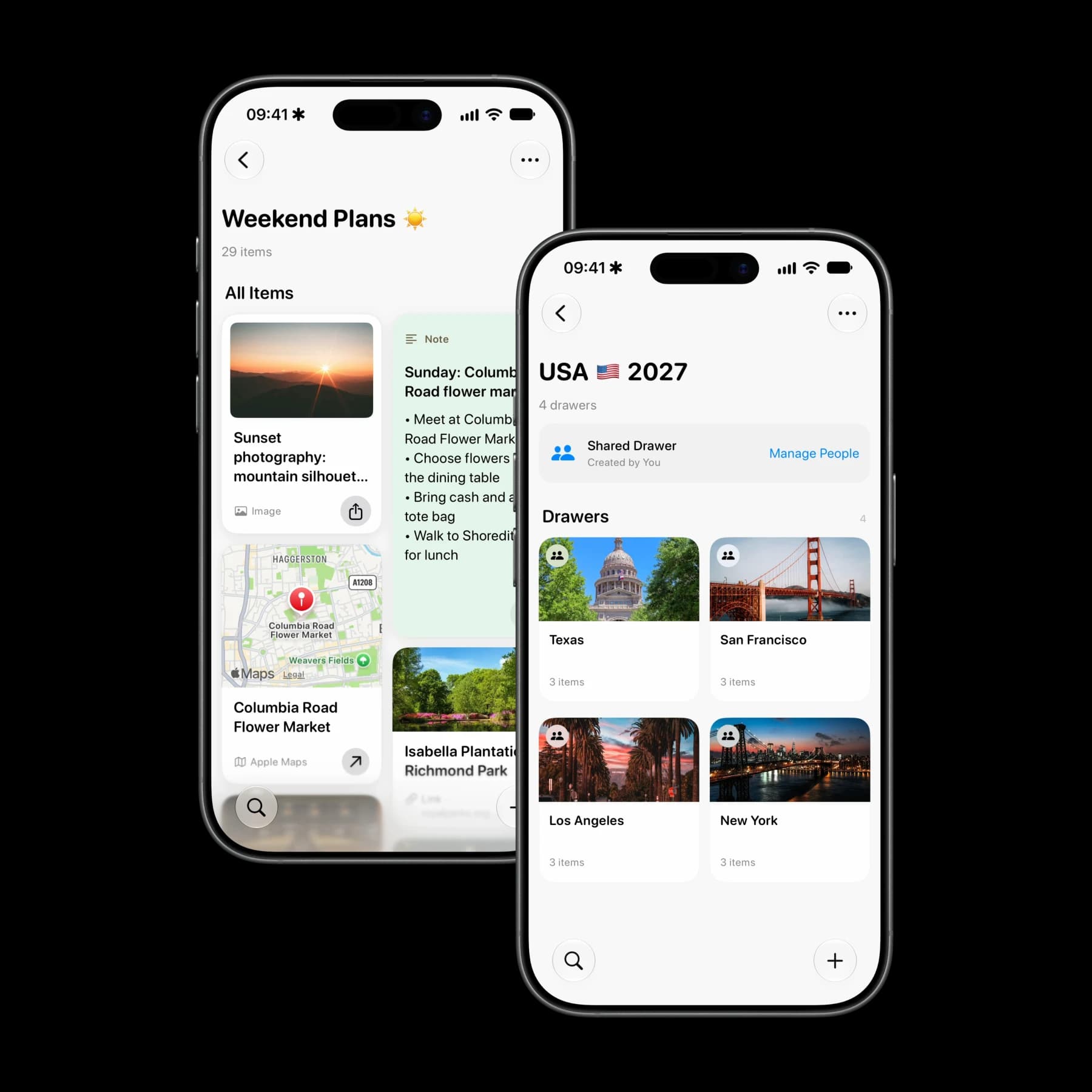
Both apps let you bring related things together and invite other people. Ribbons calls these spaces Drawers; Raindrop.io calls them collections. Shared Drawers have view or edit permissions, and Raindrop supports collection collaboration on its Free plan too. If a Raindrop collection's owner has Pro, collaborators also get full-text search in that collection without their own Pro subscription.[4]
One difference is where an item can belong. In Ribbons, the same item can sit in several personal Drawers without copying the original. A booking PDF could belong in both a trip Drawer and a paperwork Drawer. In Raindrop.io, a bookmark belongs to one collection, with tags offering another way to connect related items.[3]
On your Apple devices (copy section link)
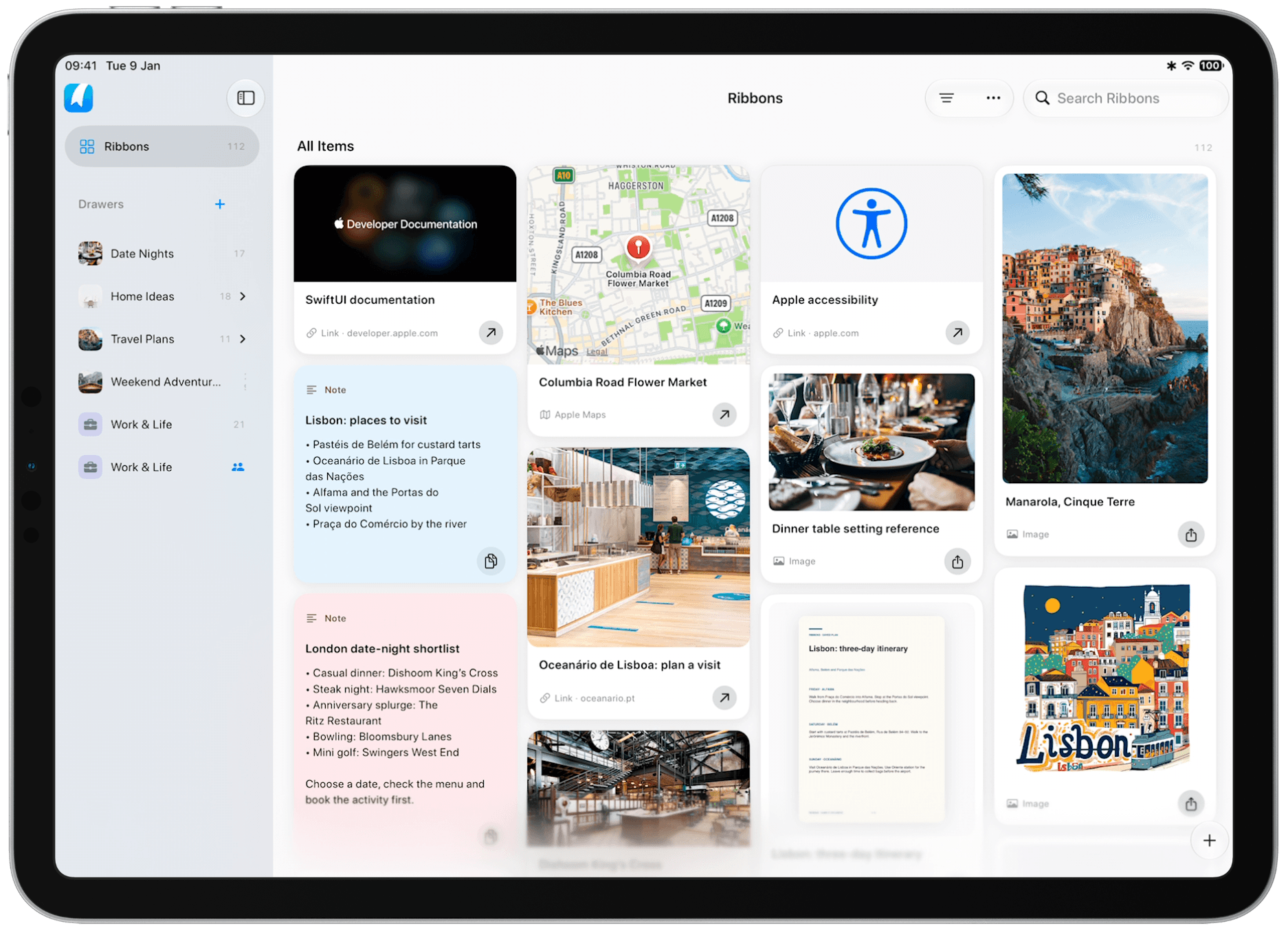
Ribbons is built around iPhone, iPad and Mac. On iPhone and iPad, pull down for Quick Find. On Mac, reach for saved content from the menu bar. Enable Spotlight in Settings to find personal items through your device's search, too.
Deep Recall uses a local index, so content already indexed on your device remains searchable offline. An original image or PDF needs to be downloaded to open it without a connection. iCloud sync brings your library across your Apple devices.
If your day also involves Windows, Android or working in a web browser, Raindrop.io has broader platform coverage. Its Pro web archive is also useful for keeping supported webpages after the original changes or disappears.[5][6]
Choosing what works for you (copy section link)
Both apps can keep links, files and shared plans together. The more useful question is what you tend to save and what you need to do with it later.
Finding a booking or scanned letter (copy section link)
You remember the hotel name in a screenshot or a phrase in a scanned letter, but not its filename. Ribbons can search those recognised words and open the matching image region or PDF page. This is a practical reason to choose Ribbons if screenshots and scans make up much of what you keep.
Reusing work across projects (copy section link)
You repeatedly send a reply, a logo or a proposal from your iPhone or Mac. Ribbons lets you keep these together and copy, open or share the item you need. The same personal item can belong to both a client Drawer and a general work Drawer. Raindrop can also store files; Ribbons' many-Drawer membership is useful when one original serves several contexts.
Researching across different devices (copy section link)
You collect articles and YouTube references, use a Windows PC or Android phone, or need access from a browser. Raindrop.io is a better fit for that mix. Pro adds searchable webpage archives and YouTube transcripts, alongside text-based PDF search.[5][1][6]
Keeping bookmarks without a subscription (copy section link)
You mainly want to save and organise links, perhaps with someone else. Raindrop.io's ongoing Free plan already covers that. A seven-day evaluation is not a replacement for a free plan, and sharing alone is not a reason to switch.[7]
If your current bookmark workflow works well, there is no need to move just to try Ribbons. Use the trial with a few screenshots, notes and documents you actually reuse, then decide whether those everyday tasks make a subscription worthwhile.
Sources (copy section link)
Raindrop.io features checked against its official documentation on . Features and plans can change; follow the links for current details. Ribbons and Raindrop.io are independent products.